
Product Update
TikTok recipe Smart Cards: save the video, keep the recipe
TikTok is great for discovery, but terrible for recall. LinkBook fixes that by turning saved TikTok recipes into richer Smart Cards that keep the title, creator, tags, and when detected, the actual ingredients and steps.
In this post
- Why TikTok saves need more than a plain bookmark.
- How the TikTok Smart Card improves scanning and search.
- Why recipe videos are harder to revisit later.
- How recipe Smart Cards make a saved video usable in the kitchen.
Marketing: TikTok inspiration should stay useful
A saved TikTok should not collapse into a vague URL you forget a day later. LinkBook is built to keep the signal: a clearer title, better tags, richer previews, and Smart Cards that make it obvious why the link mattered in the first place.
That matters even more for food creators, recipe hunters, and anyone building a library of ideas they actually plan to cook, test, or share.
Guide: what the TikTok Smart Card shows
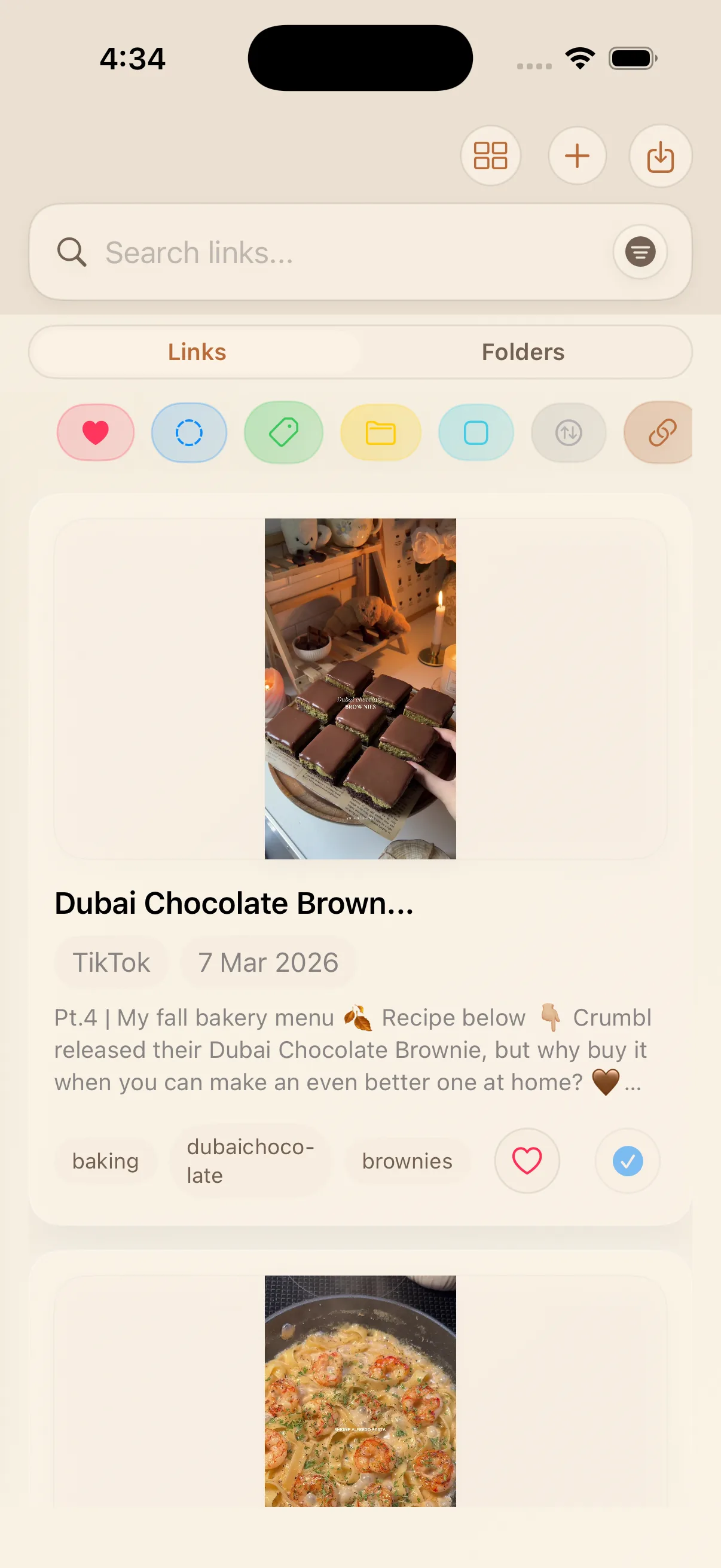
Save a TikTok into LinkBook and the app now does much more than keep the URL. In the library, the save can show a better title, a cleaner preview, the date, and useful tags that help you scan your collection faster.
| What LinkBook keeps | Why it matters |
|---|---|
| Video title and creator | You can recognize the save without reopening TikTok. |
| Tags and topic clues | Search and filtering become much more useful later. |
| Recipe structure when detected | Ingredients and steps stop living only inside the video. |
| Actions like Open in TikTok and Copy recipe | You can move from discovery to action in one place. |
Problem: recipe videos are hard to revisit later
Most recipe videos are easy to love in the moment and awkward to use later. The title is often buried, the ingredients are scattered across captions or on-screen text, and the steps live inside a fast-moving video you have to scrub through again.
- You forget which creator made the recipe.
- You cannot quickly copy ingredients into a shopping list.
- You reopen TikTok just to re-find one step or one measurement.
- Your saved links pile up faster than they become usable.
Solution: recipe Smart Cards turn a save into something you can cook from
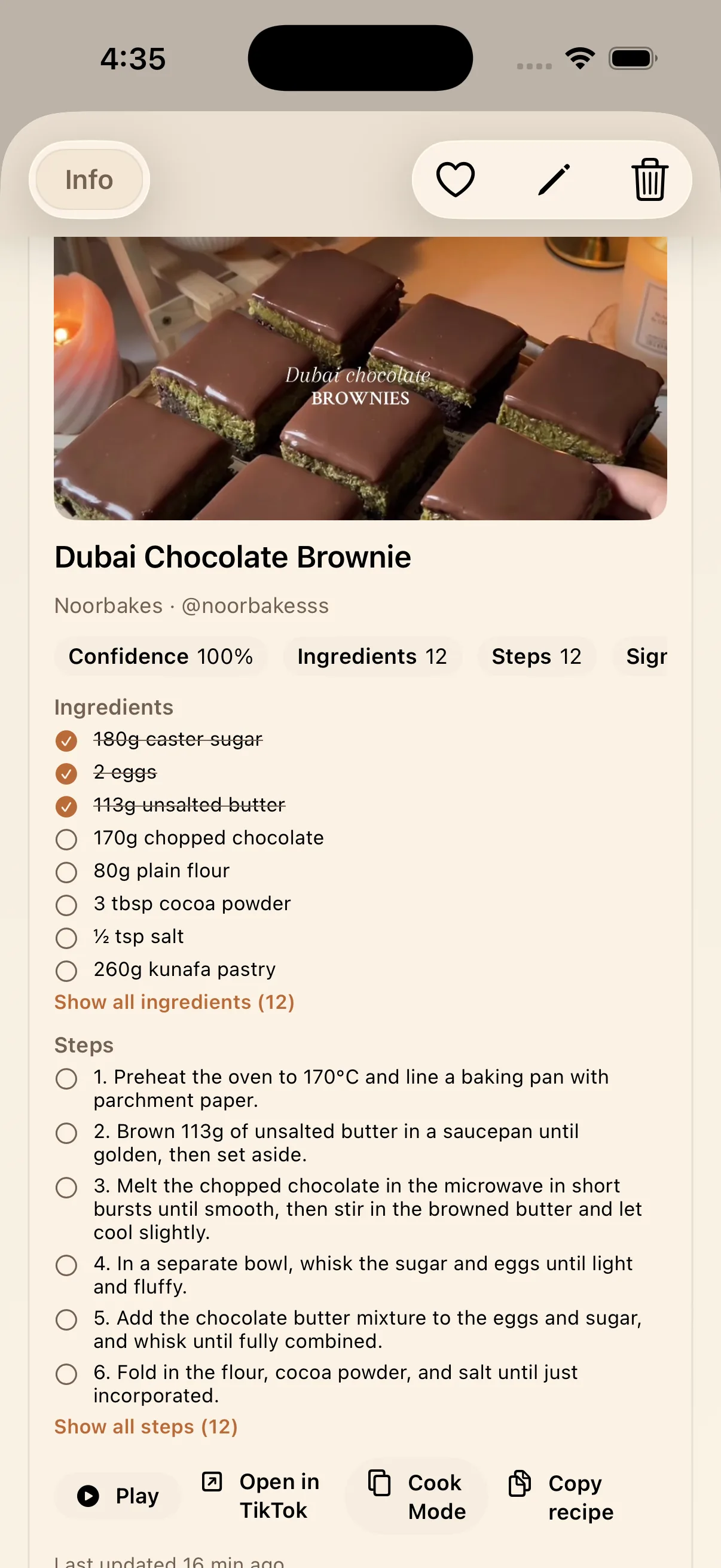
When LinkBook detects recipe structure in a TikTok save, the Smart Card upgrades from a general video preview into a recipe card. That means ingredients, steps, confidence, and quick actions are available right inside the saved link.
- Read the recipe without replaying the full video.
- Open Cook Mode when you are actively making it.
- Copy the recipe out when you need to share or adapt it.
- Keep the creator and source connected to the save.
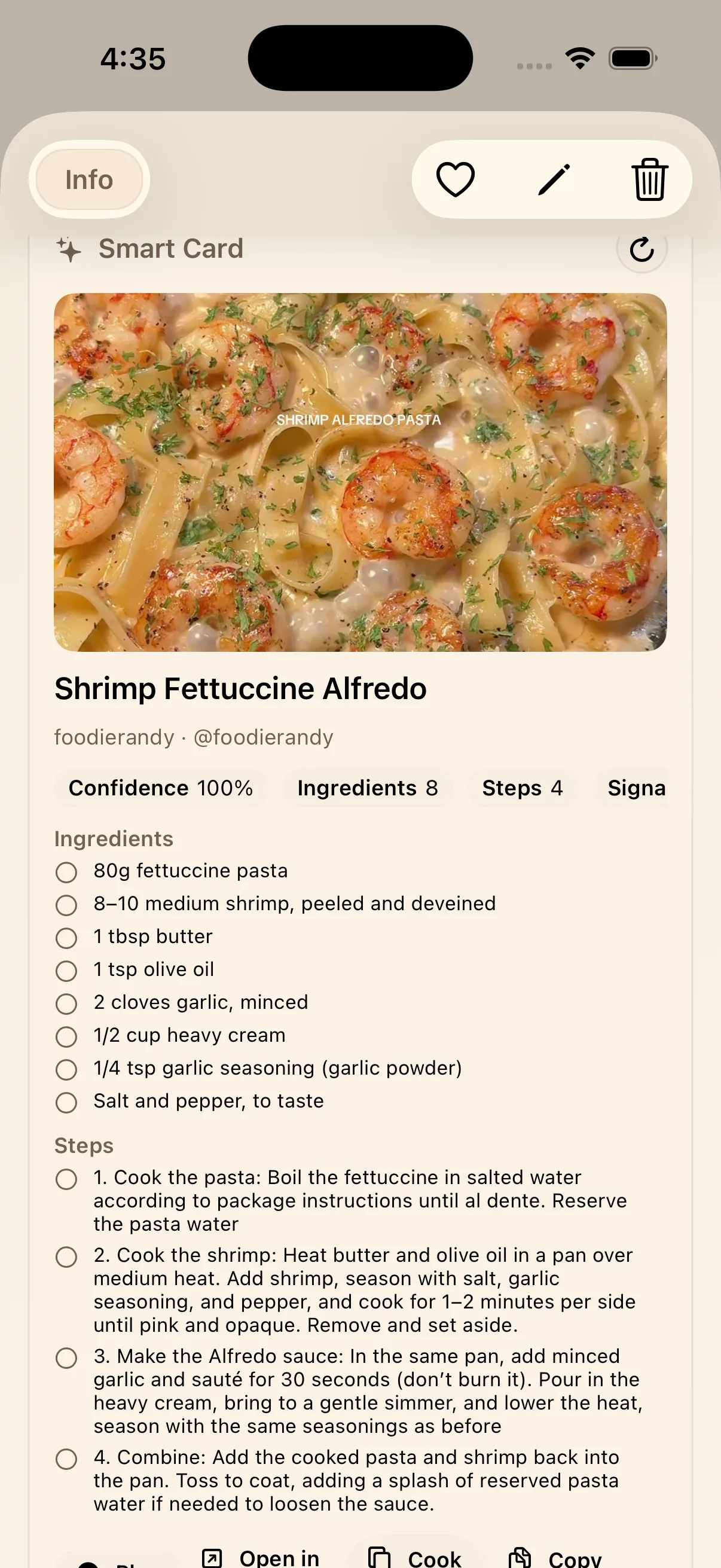
The recipe format works across different TikTok saves
The same flow can support very different kinds of recipes. Whether the save is dessert, pasta, or something in between, the goal is the same: make the link easier to scan, easier to trust, and easier to use when you come back to it later.
In practice, that means LinkBook can turn recipe-heavy TikTok saves into a small working reference, not just an archive of links.
Key takeaway
LinkBook makes TikTok saves more valuable after the scroll. The TikTok Smart Card keeps the context, and the recipe Smart Card turns cooking videos into something you can actually use.
FAQ
What does LinkBook save from a TikTok recipe video?
LinkBook can save the title, creator, and tags, and when recipe structure is detected it can add ingredients, steps, and recipe actions to the Smart Card.
Can I copy a recipe from a saved TikTok in LinkBook?
Yes. Recipe Smart Cards include actions such as Copy recipe and Cook Mode.
Can I still open the original TikTok video?
Yes. The card keeps an action back to the original TikTok source.
Related reading
Want the broader product walkthrough? See LinkBook features, explained.